Creatives
Adding Creatives
To add new creatives to your library:
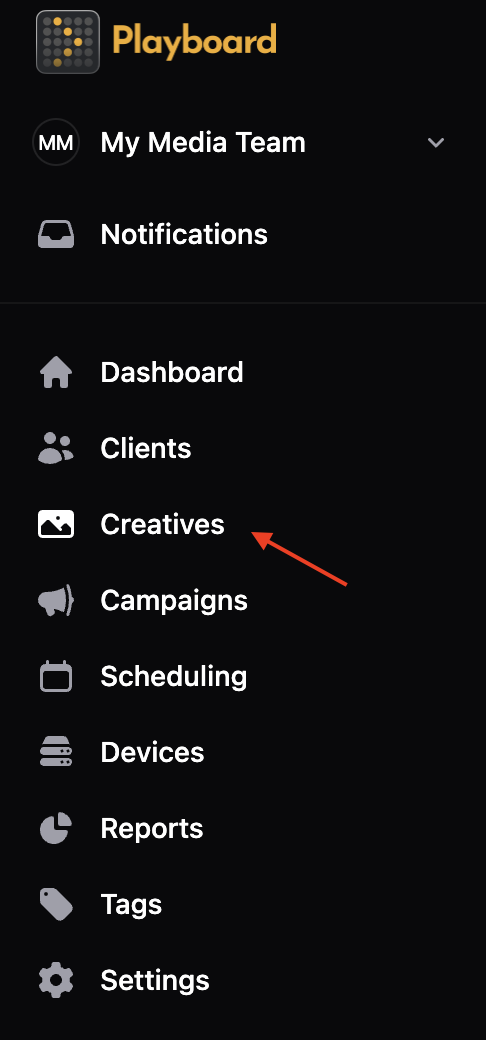
- Open the Creatives page
- From the left sidebar, click Creatives.
- Select a folder (optional)
- Navigate to the folder where you want to add creatives, or stay in the root folder.
- Creatives will be added to the currently selected folder.
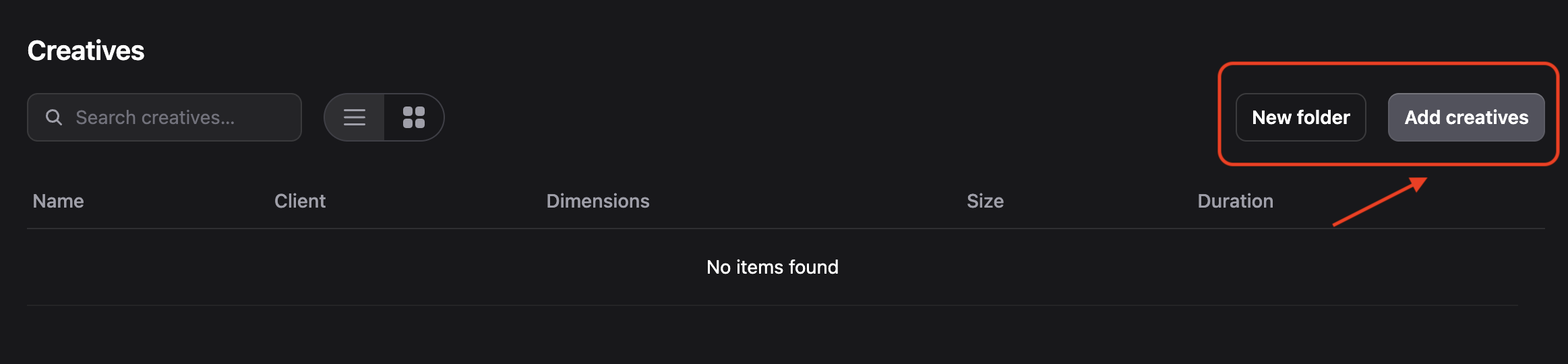
- You can create new folders by clicking the New folder button.
- Click "Add creatives"
- Click the Add creatives button in the top-right.
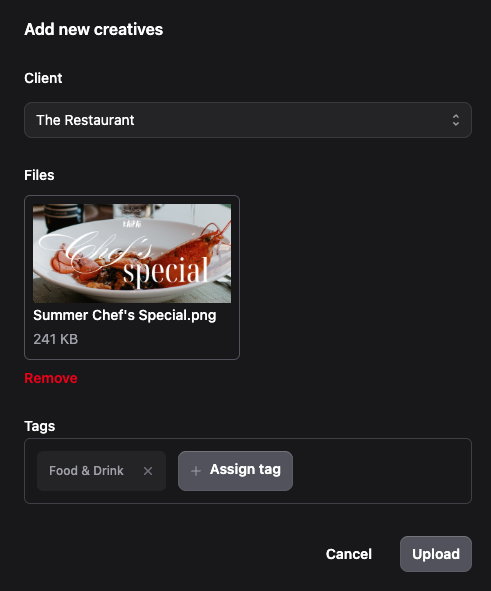
- The Add new creatives modal will open.
- Select client and upload files
- Client: Click on the Client dropdown and select which client this creative belongs to.
- Files: Click Upload a file or drag & drop one or more files into the upload area.
- File types: Images (PNG, JPG, etc.) or videos. Upload files that match your display screen sizes.
tip
Tip: You can upload multiple files at once. Each file will be created as a separate creative.
- Add tags (optional)
- Click in the Tags field and select existing tags (e.g., Food & Drink, Promo, Holiday) or create a new tag.
- Upload the creatives
- Click Upload to save the creatives.
- The creatives will appear in your Creatives library in the selected folder.
Moving Creatives
To move a creative to a different folder:
- Open the creative menu
- Find the creative you want to move in the Creatives list.
- Click the three dots (⋯) menu next to the creative.
- Select Move
- Click Move from the dropdown menu.
- The Move creative dialog will open.
- Choose destination folder
- The dialog shows the current folder location.
- Select a destination folder from the Move to dropdown (or select "Home" for the root folder).
- Click Move to confirm.
Deleting Creatives
To delete a creative from your library:
- Open the creative menu
- Find the creative you want to delete in the Creatives list.
- Click the three dots (⋯) menu next to the creative.
- Confirm deletion
- Click Delete from the dropdown menu.
- A confirmation dialog will appear.
- Review the warning message and click Understood, delete creative to confirm.
warning
Warning: Deleting a creative will remove it from the Creatives library, but it will not be removed from any campaigns or reports where it has been used. If you upload the same creative again, it will be treated as a new creative.
info
Note: Any creatives that have been played will still show in reports, even if they have been deleted.