Sign In
- Open the Playboard website
- Go to https://playboard.live
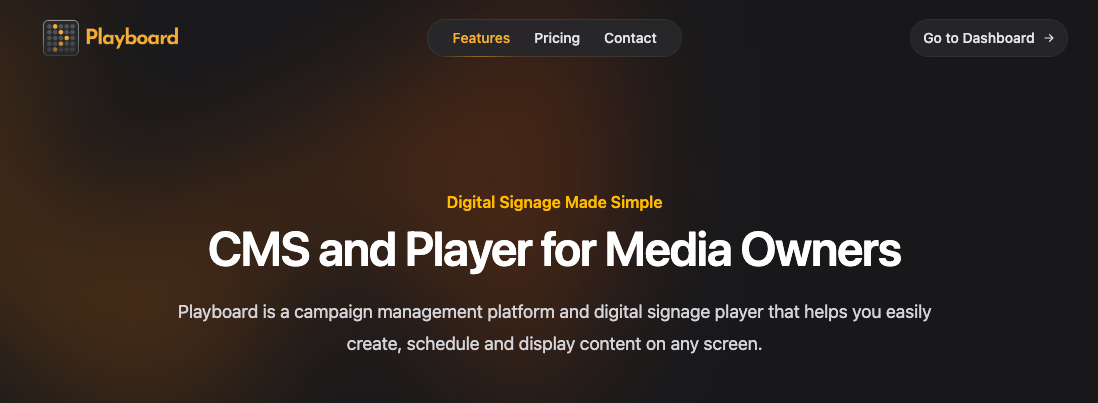
- Go to the sign in page
- Click "Go to Dashboard" in the top-right corner of the homepage, or navigate directly to https://app.playboard.live/signin.

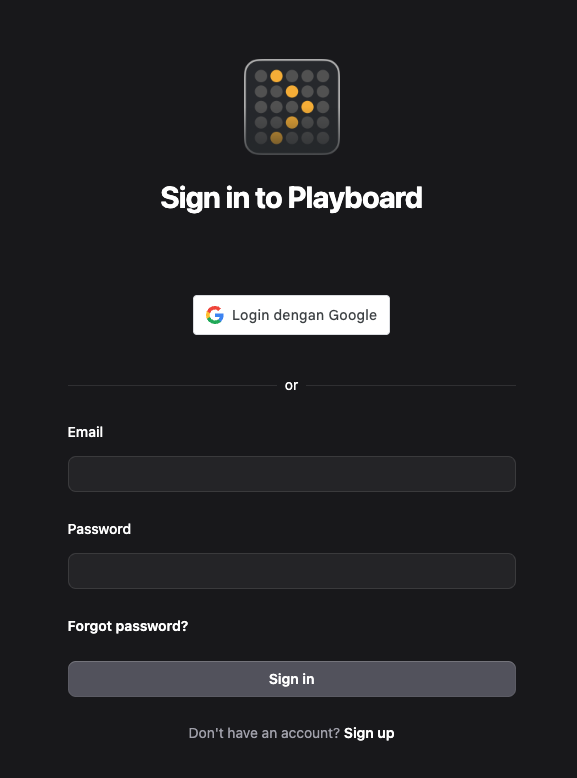
- Sign in with Google or email
- Option 1 - Google Sign In: Click the Google Sign In button at the top of the form.
- Option 2 - Email Sign In: Enter your Email and Password, then click Sign in.
info
Forgot your password? Click the "Forgot password?" link below the password field to reset it.
- Access your dashboard
- After signing in successfully, you'll be automatically redirected to your Playboard dashboard.
- If you don't have a team yet, you'll be redirected to complete your team setup.